
We've launched three new features that make it easier than ever to prioritise your work, review clients and organise support workers on a single, integrated platform.
Discover a new way to coordinate or manage support with:
- Manage Workers: Plan support, communicate with workers, fill jobs, and review pending agreements.
- Manage Jobs: Use action items, job status, and service type to decide what needs to be done first.
- My Clients: Filter and sort your clients by status, including active clients and those needing payment.
What features does the new platform have?
Business Solutions by Mable has a new dashboard layout, search functionality, an intuitive table view, action items and alerts badges, and a dynamic menu for quick actions.
Let's explore the new features and how you can use them to make the most of Manage Workers, Manage Jobs and My Clients.
Search bar

Search by client name for a holistic view of your client's support. Simply enter the client's name and select it from the dropdown menu.
- Manage Workers: Review what services a client receives and from what support worker, or search for the worker's name in the search bar to find one specific worker.
- Manage Jobs: Review all open, filled and 'expiring soon jobs for a specific client.
- My Clients: Search for a specific client and use the actions 'inbox', 'post a job' and 'log in as' to quickly complete tasks.
Dashboard layout
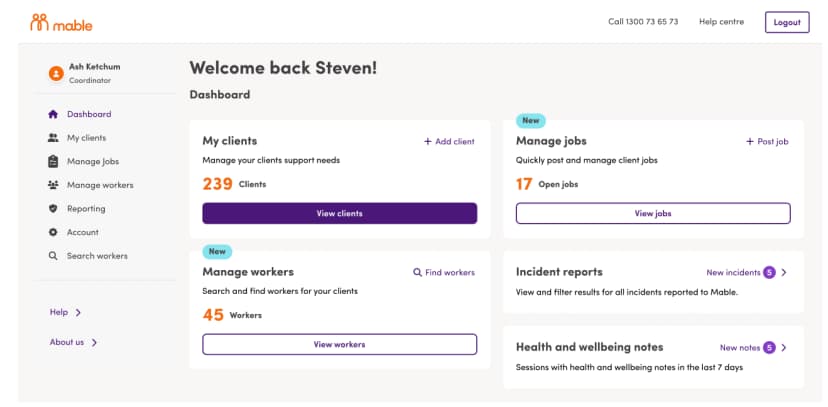
The new layout provides quick actions to view clients, jobs, and workers, as well as any new health and wellbeing notes and incident reports.
From your home dashboard, you can use the tiles or the menu on the left-hand side to navigate to the three new features: Manage Jobs, Manage Workers, and My Clients.
Table view
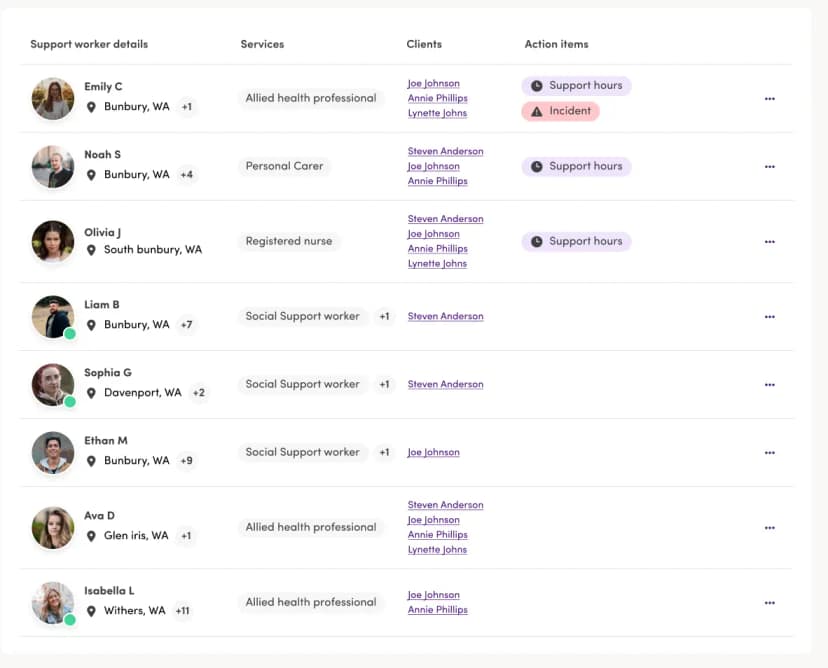
The new table views of all clients, jobs and workers make prioritisation easy. The list layout has columns that display important information relevant to each feature that needs to be reviewed.
- The Manage Workers table view provides information on the workers' names and locations, services, clients, and action items.
- The Manage Jobs table view provides information on job details, status, services, and action items.
- The My Clients table provides information on the client's name, who manages them, and any alerts.
Action items and alerts
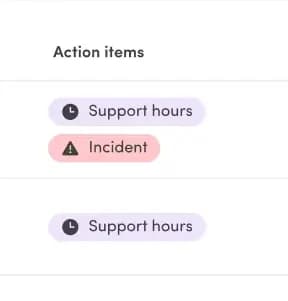
Badges automatically appear in the Manage Workers and Manage Jobs' action items column and My Clients' alerts column to inform you that you have updates that require your attention.
- Manage Workers: Badges will appear when a worker has submitted support hours for you to review or when there is a new incident report.
- Manage Jobs: Badges will appear when there are pending agreements, unread responses, new applicants, and no applicants.
- My Clients: Badges will appear when you have new messages or agreements.
Menu
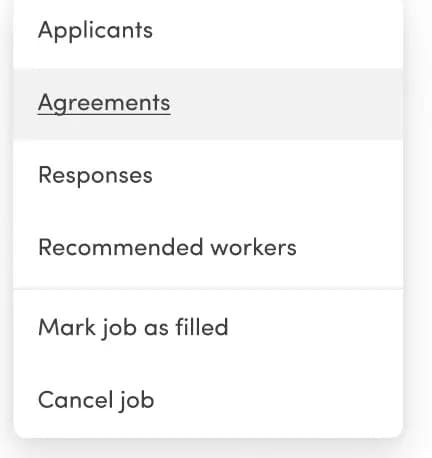
The menu next to action items makes completing relevant tasks for each feature quick and easy.
- The Manage Workers menu includes links to manage workers, view profiles, and review support hours and incidents for each worker.
- The Manage Jobs menu changes slightly depending on the job type and includes links to review applicants or workers, agreements, and responses to a job posting.
- The My Clients menu includes links to check pending agreements, unread messages, submitted support hours, and incident reports.
Add a client
In addition to reviewing current clients, you can seamlessly add new clients through My Clients.
- Click on the 'Add clients' button in the top right corner.

2. A new page will open where you can fill in the client information
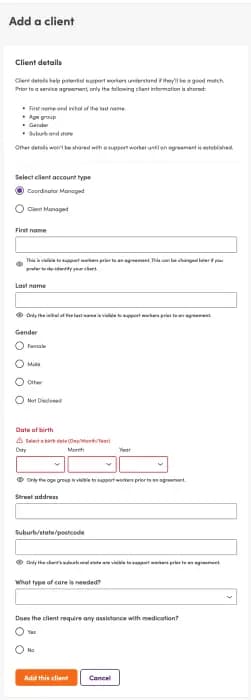
3. To add the client, click 'add client'.
4. If you no longer want to add the client, click 'cancel' to return to the My Clients page.
A Guide to Business Solutions by Mable
For a step-by-step guide on how to make the most of the new platform, check out our Business Solutions by Mable instructional video.
If you have any questions about Business Solutions by Mable or the Mable platform, please get in touch with your dedicated Account Manager.